WorkshopHQ workshop management software
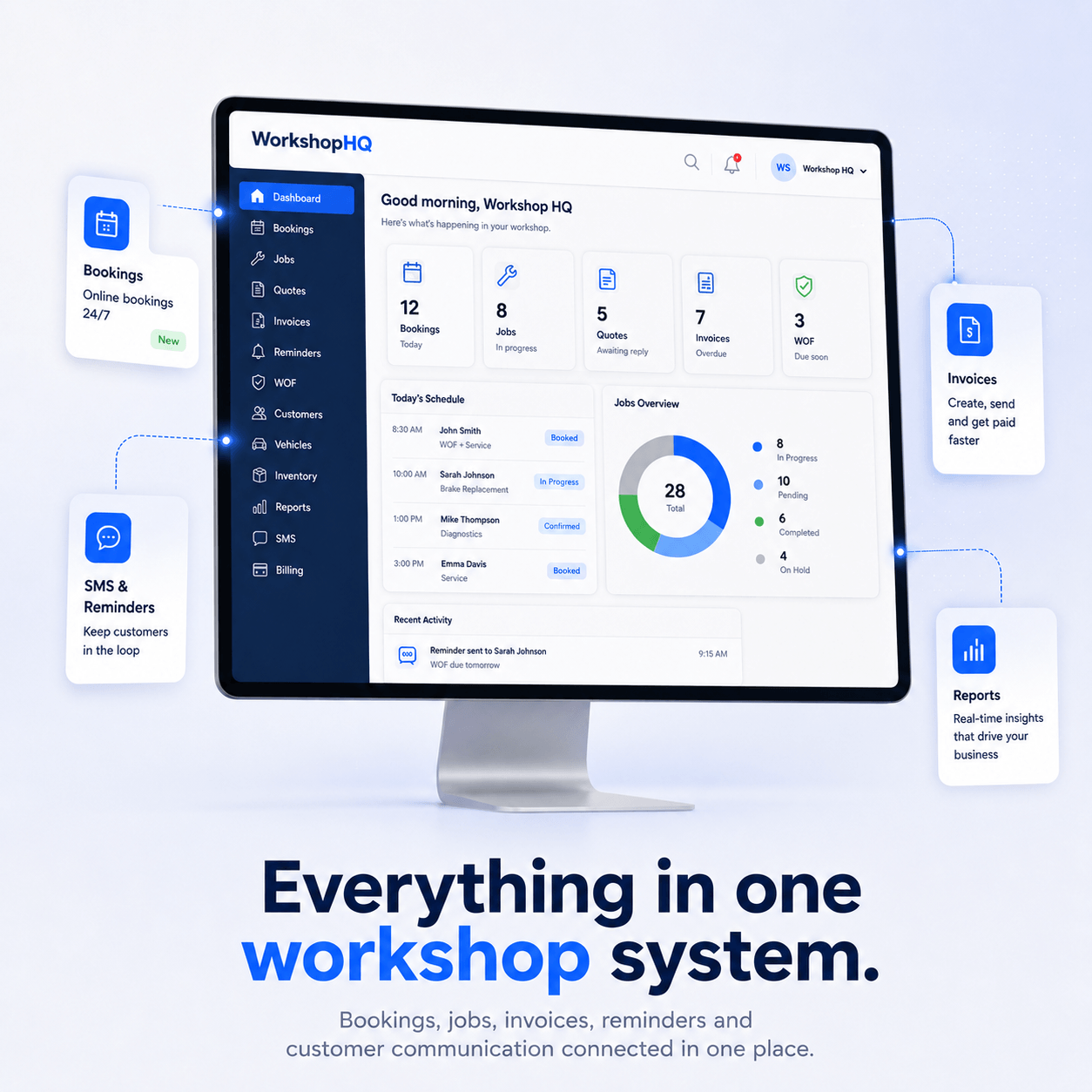
Manage jobs, quotes, invoices, customers, vehicles, reminders and workshop workflows from one connected system.
Features
Everything your workshop needs to run from one connected system.
Designed around the real workflow: booking, job, mechanic, quote, invoice, payment, reminder and return visit.
WorkshopHQ Founding Workshop Programme
A 30-day assisted trial for New Zealand workshops that want help getting set up properly before advertising and daily use.
How it works
Track workshop work from booking to follow-up.
WorkshopHQ keeps the customer, vehicle, job, invoice and reminder history connected so your team can see what happened next.
Customer booking
Capture customer, vehicle and concern details from phone, web, booking or check-in.
Job creation
Create the job, add work lines, assign mechanics and link the vehicle record.
Mechanic updates
Mechanics see assigned jobs on a simple tablet view and update notes, odometer and finish status.
Quote, invoice & payment
Convert approved work to quote or invoice, send it professionally and record payment safely.
Follow-up reminders
Use completed work, WOF dates and recommendations to bring customers back.
Simple workshop-floor UI for mechanics.
Mechanics see assigned jobs, vehicle details, job descriptions, notes, odometer and finish controls in a mobile-friendly portal without the full company dashboard.
Note: Rear camber adjusted.
Note: Tap to add mechanic note.
Note: Tap to add mechanic note.
Customer experience
Turn every visit into a stronger customer relationship.
Customer check-in, vehicle history, future work recommendations, invoice history and service reminders help your team follow up professionally.
Pricing
Simple monthly plans for modern workshops.
Choose a monthly plan and get assisted setup through the Founding Workshop Programme.
30-day assisted trial · 1 user included
30-day assisted trial · 3 users included
30-day assisted trial · 6 users included
FAQ
WorkshopHQ FAQs
Common questions from automotive workshops considering WorkshopHQ.
What is WorkshopHQ?+−
WorkshopHQ is workshop management software for automotive workshops. It helps connect jobs, customers, vehicles, quotes, invoices, reminders and add-ons in one system.
Who is WorkshopHQ built for?+−
WorkshopHQ is built for all workshops, service centres, tyre shops and repair businesses that want a clearer daily workflow.
Can I manage jobs, quotes and invoices?+−
Yes. WorkshopHQ is designed to keep jobs, quotes and invoices connected so the team can move work from booking to payment with less double handling.
Does WorkshopHQ support WOF inspections?+−
WorkshopHQ can support WOF inspection workflows when the WOF add-on is enabled for the workshop.
Can my mechanics access job information?+−
Mechanic Portal access can be enabled as an add-on so technicians can view assigned work and update job progress.
Can customers view quotes or invoices online?+−
Customer portal features can allow customers to view relevant quotes, invoices and documents online where the portal is enabled.
Can I manage vehicles and service history?+−
Yes. WorkshopHQ connects customers with their vehicles, jobs, invoices and reminders so service history is easier to follow.
Can WorkshopHQ send reminders?+−
WorkshopHQ supports reminder workflows for service follow-ups, WOF reminders and customer communication. SMS/email usage may depend on plan, add-on or billing settings.
Can I enable only the add-ons I need?+−
Yes. WorkshopHQ is structured so workshops can use core tools and enable selected add-ons where needed.
Is WorkshopHQ suitable for New Zealand workshops?+−
WorkshopHQ is designed with New Zealand automotive workshop workflows in mind, including practical support for WOF-related workflows where enabled.
Do I need technical knowledge to use WorkshopHQ?+−
No. WorkshopHQ is designed as a practical workshop system for daily staff use, not as a technical developer tool.
Can I start with a free trial?+−
Yes. You can start a free trial and review the plan and add-on options before deciding what your workshop needs.
Ready to run your workshop from one platform?
Start your trial, view pricing or talk to us about your workshop workflow.